Finance
Receivables, cashier shifts, payables and exports.
See money owed to you, money you owe and the day's cash in one place. Export a balanced journal to Xero, QuickBooks or any accounting system as CSV.
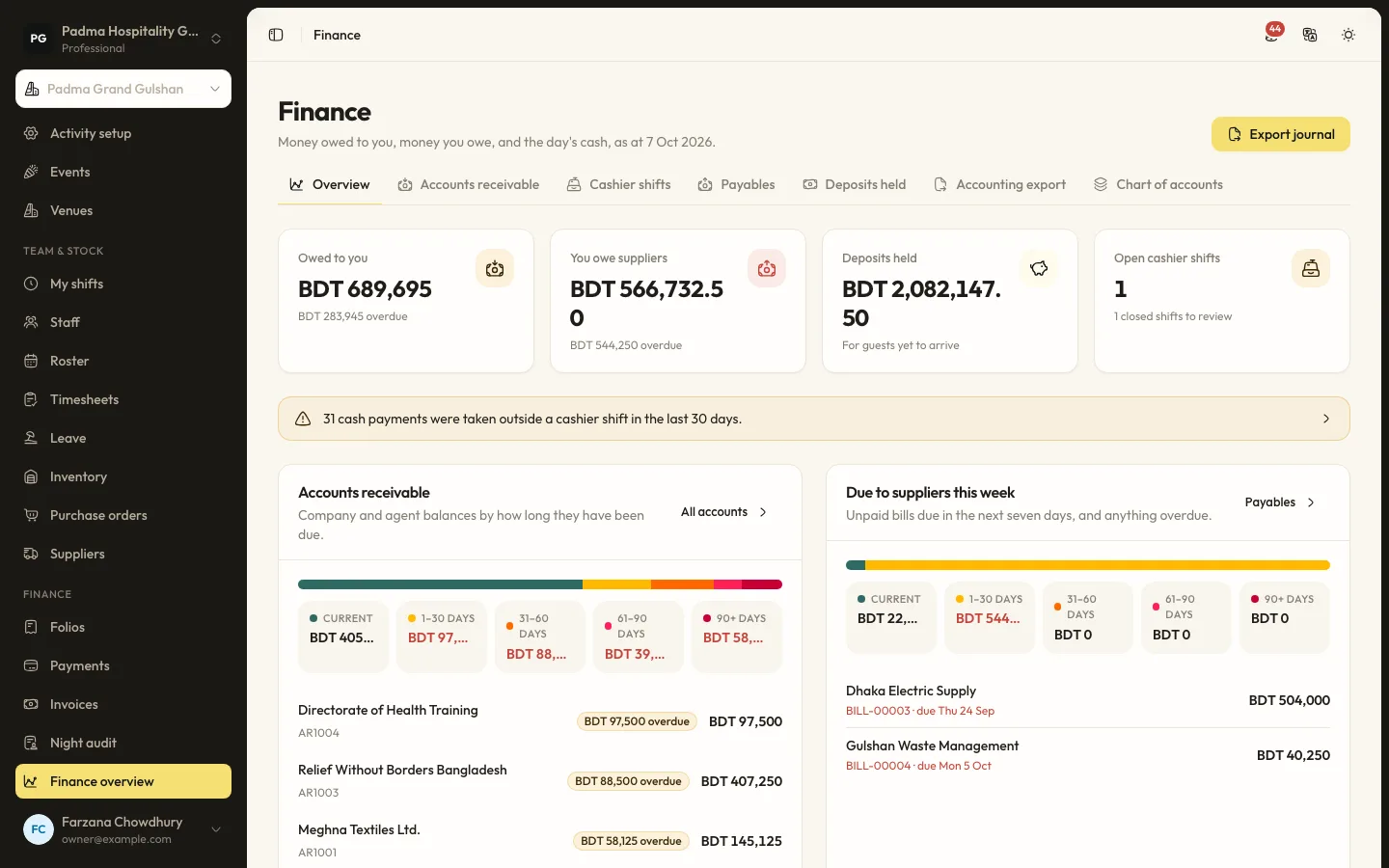
The details that matter at the desk.
- 01
Company accounts
Company and travel agent accounts with terms, credit limits, statements and ageing. Move folios to an account and allocate payments against them.
- 02
Cashier shifts
Open a shift with a float, record cash drops and compare the closing count with takings. Payments taken outside a shift are flagged.
- 03
Payables
Supplier bills, including from received purchase orders, and OTA commission statements with due dates and payments.
- 04
Accounting export
Map your chart of accounts once, then export the journal as a generic, Xero or QuickBooks CSV. Exported days can be locked.
Capabilities
- Accounts receivable with ageing
- Credit limits and payment terms
- Statements
- Cashier shifts and floats
- Supplier bills
- OTA commission tracking
- Deposits held
- Chart of accounts and mappings
- Journal export in CSV
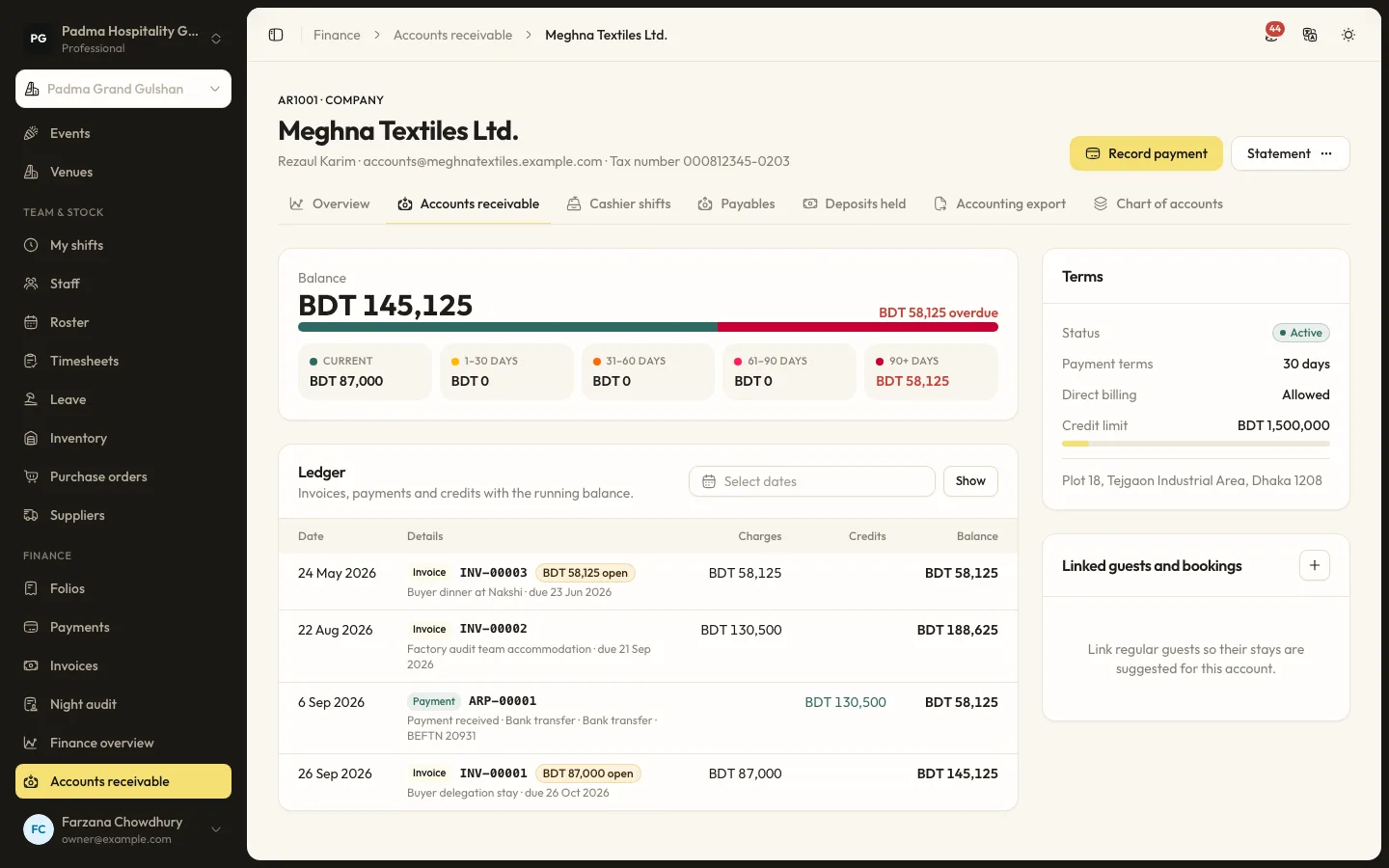
Finance, answered.
Does it sync live with Xero or QuickBooks?
No. It exports a journal CSV in their import format, which you upload. There is no live connection.
What if the journal does not balance?
The export is refused until the mappings are fixed, so nothing unbalanced reaches your books.
Works well with
- Learn more
Folios and invoices
Every charge in the right place, automatically.
- Learn more
Reports
Eighteen reports, from the daily manager's report to tax.
- Learn more
Payments
bKash, SSLCommerz, Stripe, cash and bank transfer.
- Learn more
Inventory and purchasing
Know what is in the store and reorder in one click.
See it working with your own rooms.
A 30 minute call with someone who has run a front desk. Bring your questions and your room list.