Multi-property and branches
One organisation, every property and branch.
Run several properties from one workspace, each with its own rooms, rates and currency, and switch between them from the sidebar. Branches inherit settings from their main property.
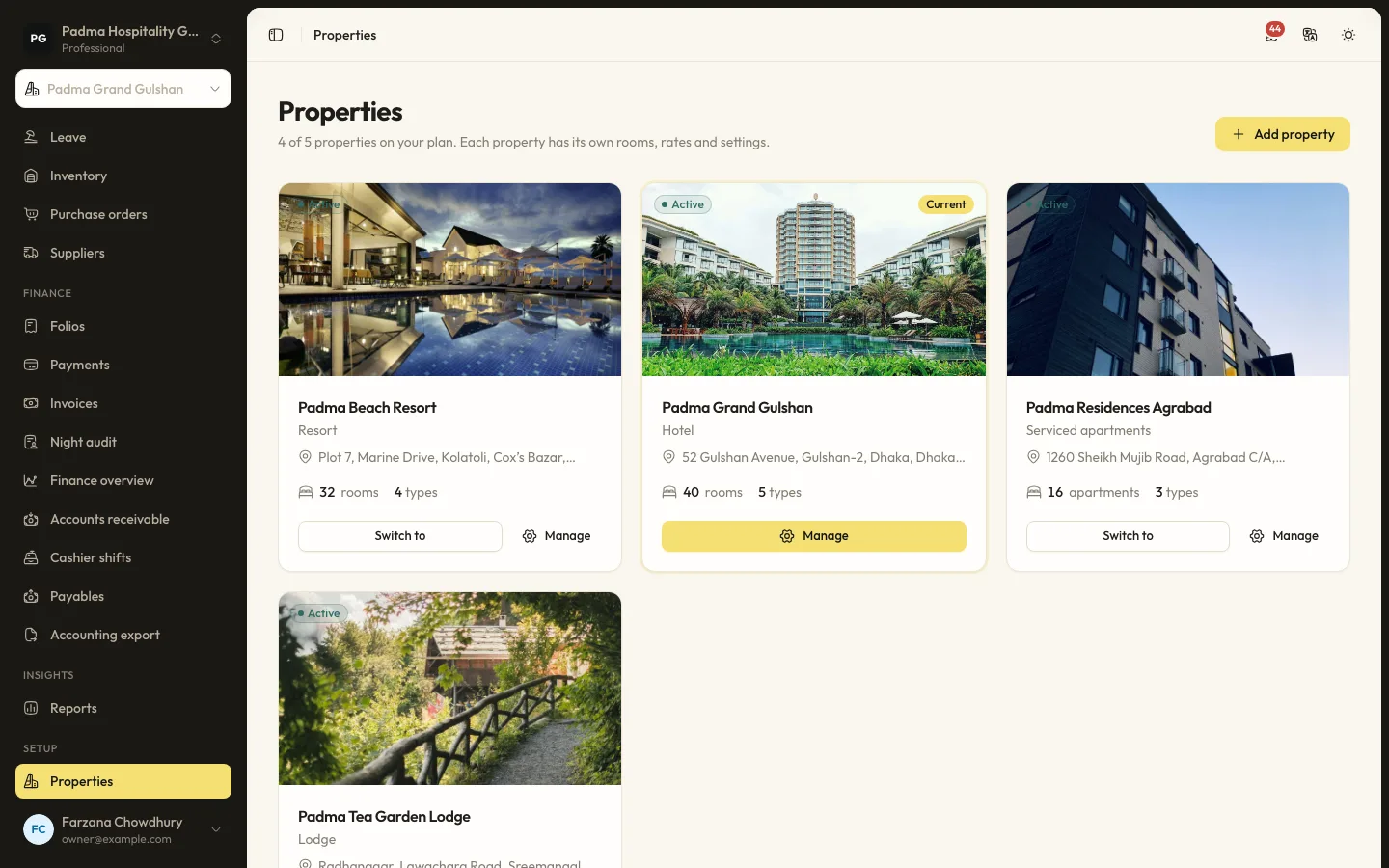
The details that matter at the desk.
- 01
Shared where it helps
Guests, CRM, loyalty, suppliers and the team are shared across the organisation. Rooms, rates and operations stay per property.
- 02
Inheritance
Logo, contact details, currency, time zone and language follow the organisation unless a property chooses its own.
- 03
Guided set-up
An eight-step wizard covers property, rooms, amenities, taxes, policies, payments, team and go live.
Capabilities
- Property switcher
- Branches of a main property
- Thirteen property types with matching unit words
- Rooms added in bulk
- Shared taxes and fees
- Structured policies with guest wording
- Staff access to all or chosen properties
Learn it step by step.
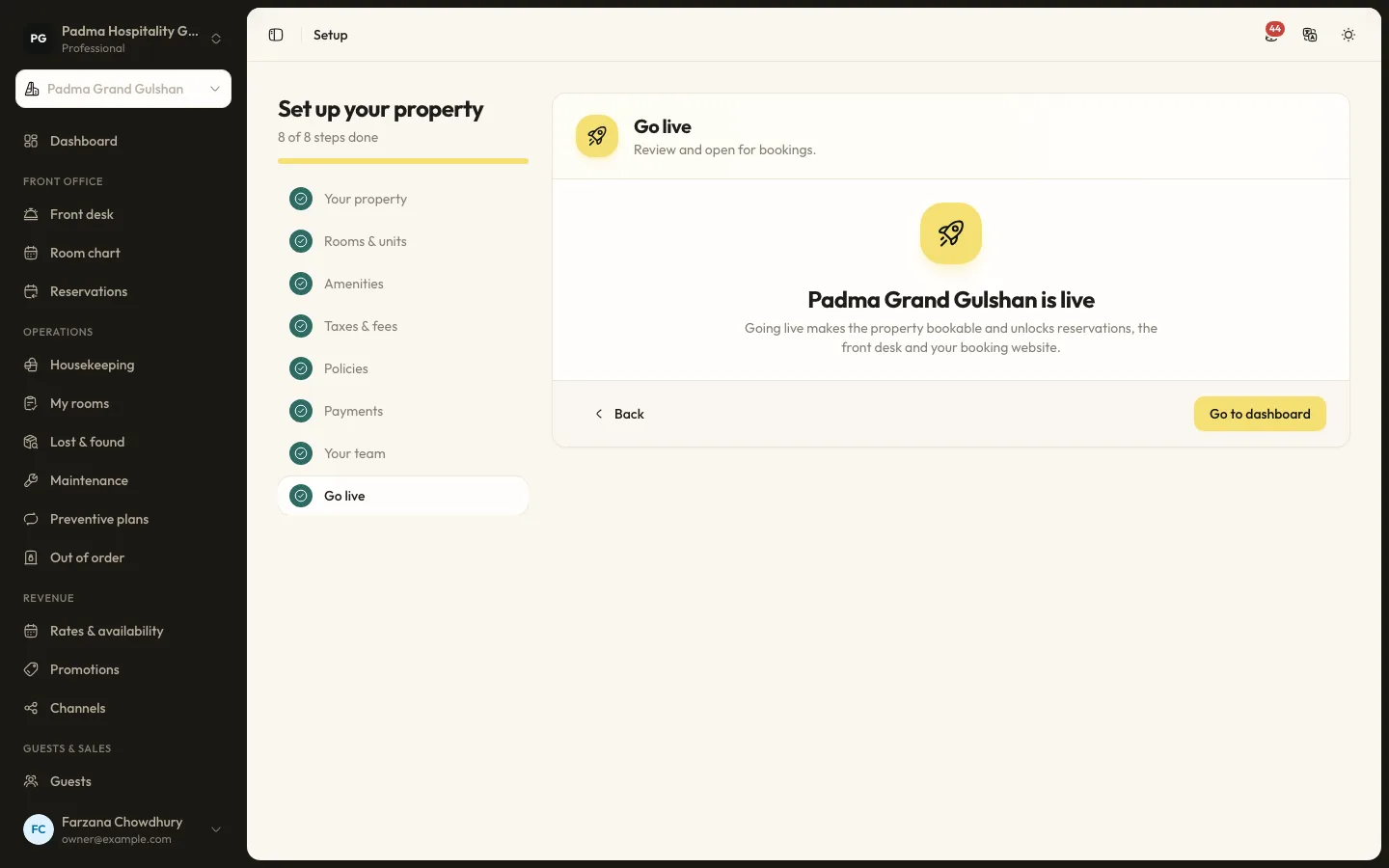
Getting started12 min read
Getting started in your first day
Go from a new account to a property that can take its first booking: the onboarding wizard, rooms, rates, team and a test booking, in one working day.
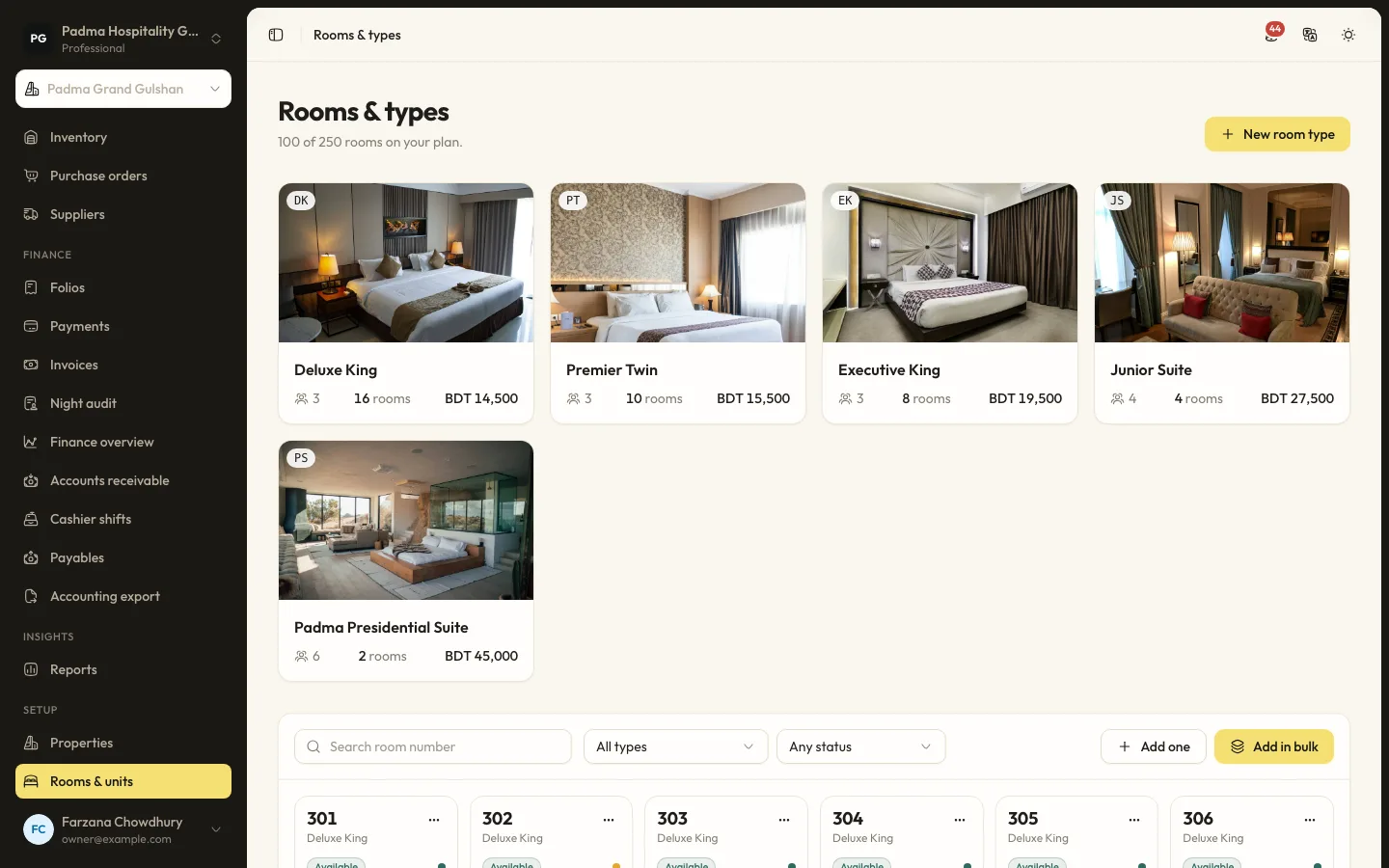
Getting started7 min read
Setting up rooms and room types
Describe what you sell with room types, add the physical rooms, and keep the count inside your plan.
Multi-property and branches, answered.
Can staff work at only one property?
Yes. Each team member has access to all properties or only the ones you choose.
Does a hostel sell beds?
Yes, each bed is a unit. There is no dorm grouping on the room chart and no gender rules for shared rooms yet.
See it working with your own rooms.
A 30 minute call with someone who has run a front desk. Bring your questions and your room list.