Guests and CRM
Know your guests and bring them back.
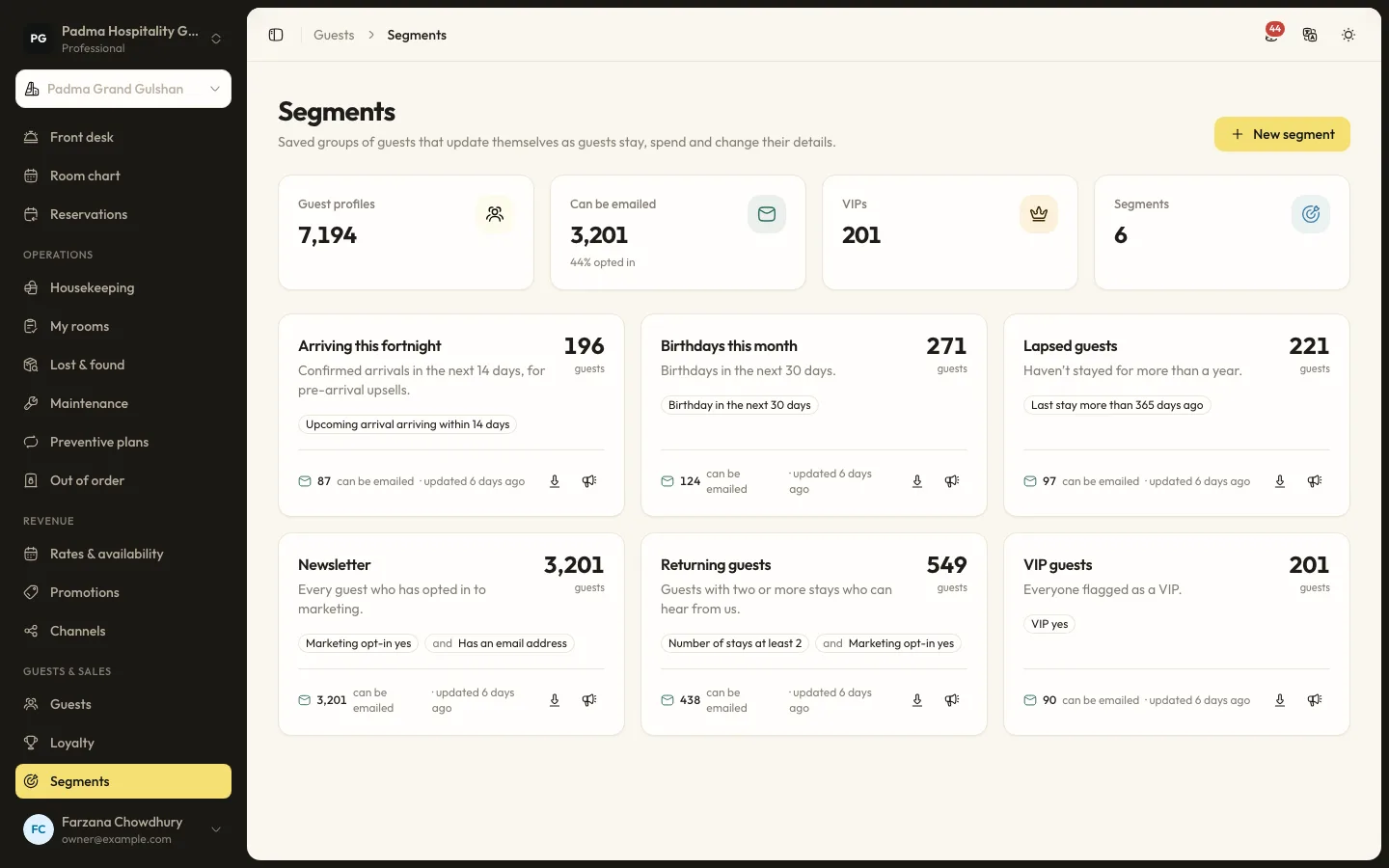
One guest profile covers every property, with stays, spend, notes and follow-ups. Build segments from rules and send email campaigns to opted-in guests.
The details that matter at the desk.
- 01
One profile per guest
Guest profiles belong to the organisation, so stays at every property sit together. Duplicates are matched on email or phone and can be merged.
- 02
Segments that update themselves
Rules on stays, nights, spend, last stay, arrivals, tags, country, VIP, birthdays, consent, source, property and loyalty membership.
- 03
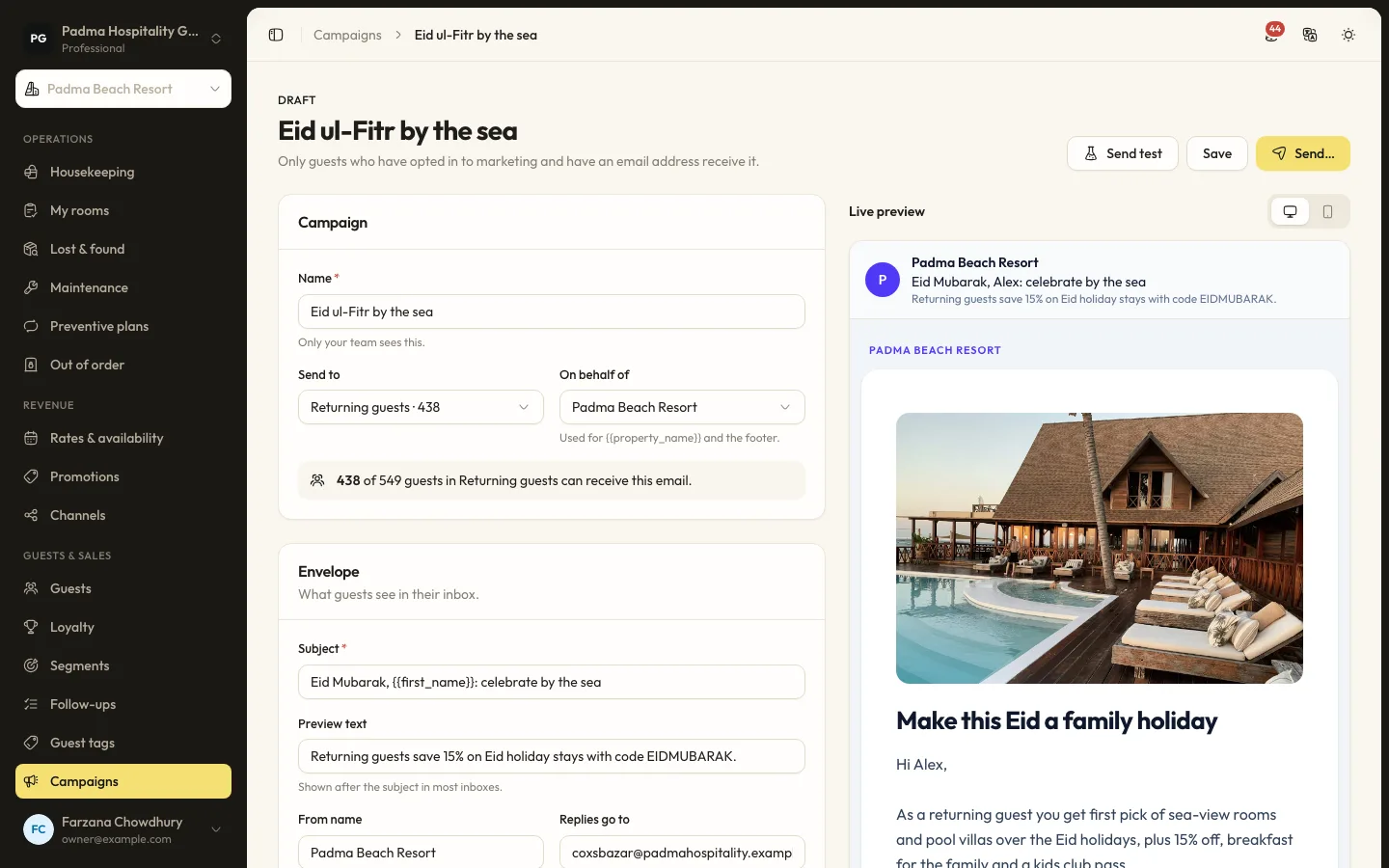
Email campaigns
Build emails from blocks with merge tags, send a test, then send now or schedule. Opens and clicks are tracked per recipient.
- 04
Follow-ups
Notes, calls, complaints and requests on a timeline, with follow-ups assigned to staff and due dates.
Capabilities
- Guest profiles across properties
- Duplicate matching and merge
- Coloured guest tags
- Rule-based segments
- Email campaign builder
- Open and click tracking
- One-click unsubscribe
- Blacklist kept out of segments
- Guest list export
Guests and CRM, answered.
Who receives a campaign?
Only guests in the segment who opted in to marketing and have an email address, once per address.
Can campaigns go by SMS?
No. Campaigns are email only. Automated guest messages can go by SMS.
See it working with your own rooms.
A 30 minute call with someone who has run a front desk. Bring your questions and your room list.