Restaurant and bar POS
Table to kitchen to room bill in a few taps.
Run each restaurant, bar or room service outlet with its own tables, menus and kitchen screen. Settle to the guest's room, card, cash or complimentary, and the folio updates itself.
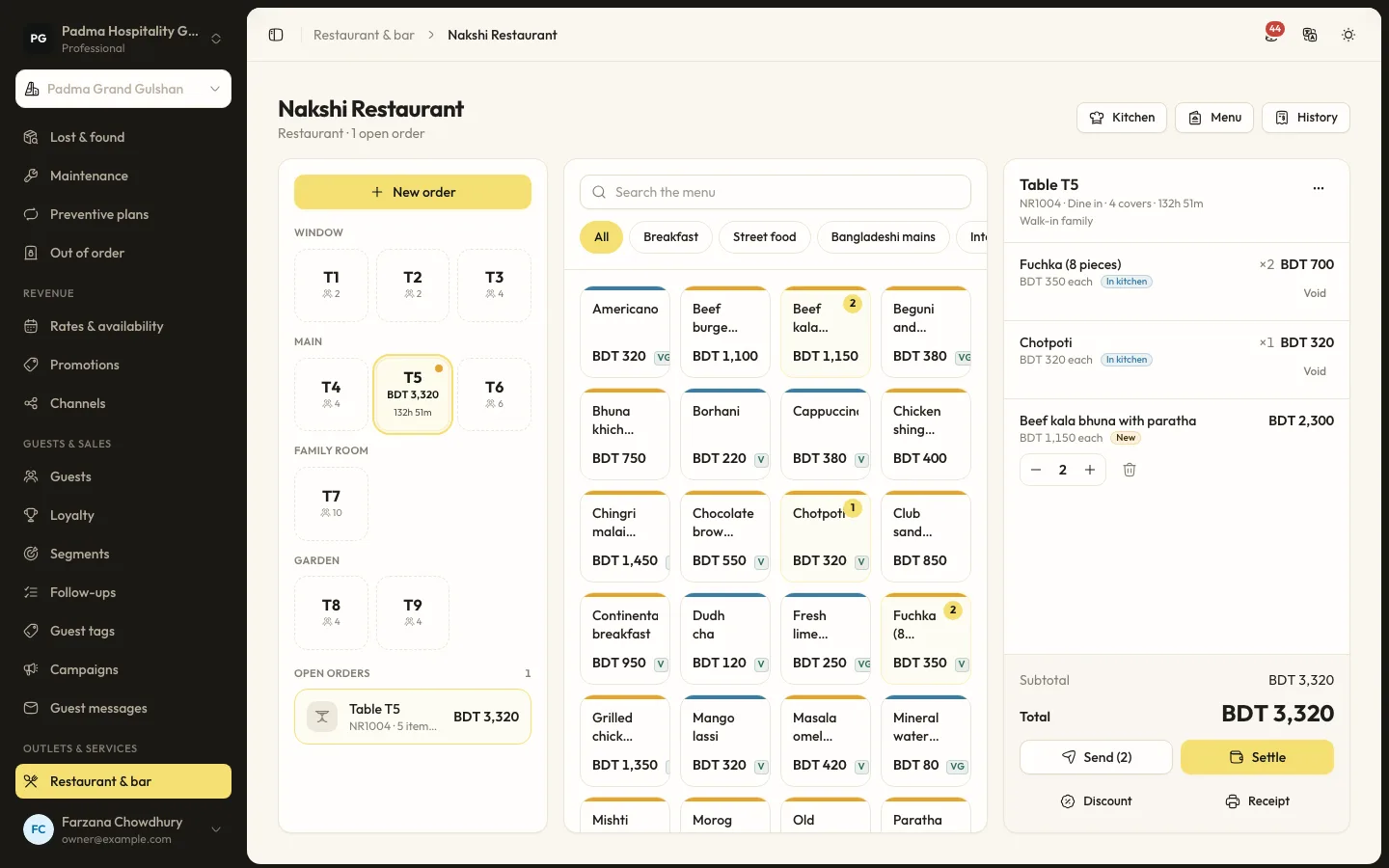
The details that matter at the desk.
- 01
Orders on any device
Open an order on a table, as takeaway or as room service. Waiters can work from a phone with the open ticket always in view.
- 02
Kitchen screen
Sending fires pending lines to the kitchen screen, where tickets show how long they have waited and are marked served.
- 03
Charge to the room
A room charge goes straight to the folio of a checked-in booking. Card and cash go to the outlet's own folio with a matching payment.
- 04
Recipes and food cost
Give a menu item a recipe and settling the order issues its ingredients from stock and records the food cost. Food and drinks post as separate lines for revenue reports.
Capabilities
- Multiple outlets per property
- Tables, areas and menus
- Dine-in, takeaway and room service
- Kitchen display
- Discounts with a reason
- Complimentary orders
- Printed receipts
- Recipes with ingredient deduction
- Outlet sales and food cost report
Restaurant and bar POS, answered.
Does it connect to a fiscal printer or card terminal?
No. Card payments are recorded against the order, and receipts print from the browser.
Do menu prices include tax?
Yes. Menu item prices are entered including tax.
See it working with your own rooms.
A 30 minute call with someone who has run a front desk. Bring your questions and your room list.