Guest experience2 Oct 20265 min read
Taking payments locally with bKash, SSLCommerz and card, without extra terminals
Guests in Bangladesh pay with bKash, cards, bank transfers and cash. Here is how to accept all of them in one place, send payment links instead of buying more devices, and keep every taka accounted for.
RoomAnchor team
Ask a front desk in Bangladesh how guests pay and you will hear every answer at once. Cash at check-out. bKash sent to the manager's number. A bank transfer from a company. A card on the one machine that works. Each method is recorded somewhere different, and at the end of the month someone spends days matching them up.
You do not need more devices to fix this. You need every payment, whatever the method, to land on the right guest's bill with a receipt number, a date and the person who took it.
One folio, every method
In RoomAnchor every booking has a guest folio: a running bill of charges, payments and the balance. When you take a payment on the folio, you choose the method:
- Cash
- Card
- Bank transfer
- bKash
- A payment link sent to the guest
Each payment gets a receipt number and the business date, and it reduces the balance straight away. Refunds are recorded as negative payments linked to the original, so you can always see what was paid back and why.
Under Settings → Payments you decide which methods the property accepts, add the bank details printed on invoices when bank transfer is accepted, and set a card surcharge percentage if you pass card fees on to guests.
Payment links instead of another terminal
The simplest way to take a digital payment without new hardware is a payment link. From the folio, staff send the guest a link to pay through the property's online gateway. The guest pays on their own phone, and the payment appears on the folio when the provider confirms it.
This works well for:
- Deposits on phone bookings. Take the booking, send the link, and the room is secured once the guest pays.
- Corporate guests whose company pays by card from the office.
- Balances after check-out, such as a late restaurant charge.
- Groups and weddings, where several people pay towards one bill.
When more than one gateway is available, the link opens a page where the guest chooses how to pay.
The local gateways
For properties priced in BDT, RoomAnchor supports two local gateways:
- bKash tokenised checkout. The guest is taken to bKash to approve the payment with their account. Refunds can be sent back through bKash.
- SSLCommerz. The guest is taken to the SSLCommerz payment page, which shows the payment options enabled on your SSLCommerz merchant account. Refunds go back through SSLCommerz.
Both work only for BDT. A property priced in another currency cannot offer them and is told so clearly. Stripe is also available for properties that take international cards in other currencies.
The same gateways take deposits on your booking website. When a rate's policy asks for payment at booking, the guest pays through the gateway before the booking is confirmed.
Paid means confirmed by the provider
A payment is only marked paid after the provider confirms it. SSLCommerz payments are checked with its validation service, and bKash payments are confirmed with bKash before they count. A guest closing the browser or coming back to the wrong page cannot turn an unpaid payment into a paid one.
Setting it up
- Get your merchant accounts. Apply to bKash and SSLCommerz for merchant accounts. They issue the credentials you will need.
- Ask us to allow the gateways. Each organisation's gateways are switched on by the RoomAnchor team, with either your own credentials or a shared platform account.
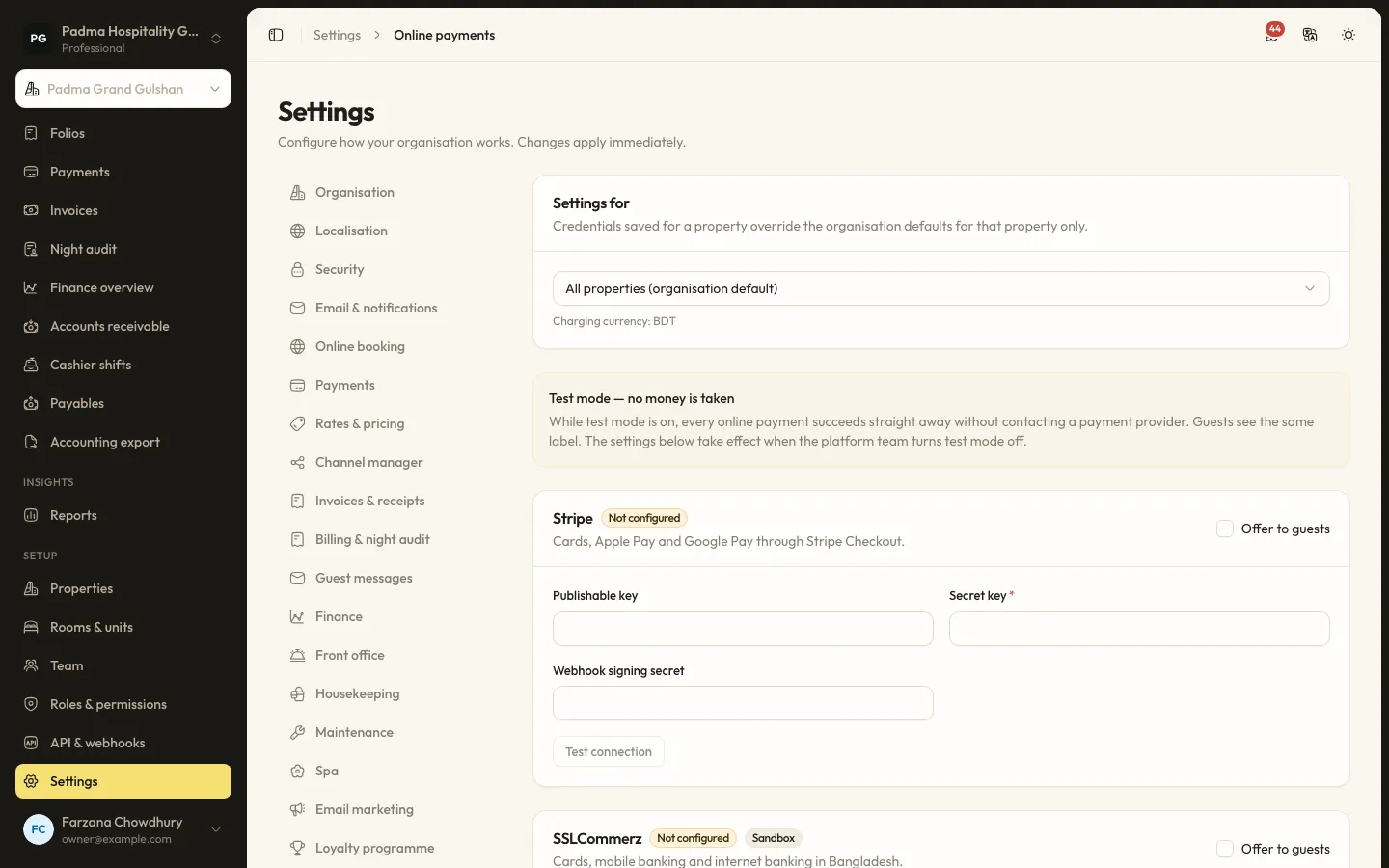
- Enter your credentials. Under Settings → Online payments, fill in the credentials for each gateway, use Test connection where it is offered, and switch on Offer to guests. The page also shows the webhook address for each property.
- Test in test mode. While your organisation is in test mode, every online payment succeeds through a test gateway and no money is taken. Staff and guests see a clear notice.
- Go live. Turn test mode off and take one small real payment end to end before announcing it.
Credentials are stored encrypted and are not shown again after saving.
Keeping cash and personal numbers under control
Online gateways reduce cash, but they rarely remove it. Two habits keep cash honest:
- Use cashier shifts. Under Finance → Cashier shifts, each cashier opens a shift with a float, records cash drops and closes with a counted amount, which is compared with what they took. Payments taken outside a shift are flagged.
- Stop using personal bKash numbers. If guests still send money to a staff member's number, record it on the folio as a bKash payment straight away, with a reference. Better still, send a payment link so the money goes to the business account.
What the guest sees
Guests notice payments more than almost anything else. With links and online deposits:
- They pay with the app they already use.
- They get a receipt.
- They can see what they have paid and what is still owed in the booking portal from their confirmation email, and pay the rest from there.
- Invoices show the payments and the tax breakdown, and can be emailed as a PDF.
Reconciling at the end of the day
Every payment is on a folio with a method and a business date, so the night audit stores payments by method for each day. Your accountant can compare bKash, SSLCommerz, card and cash totals with the provider statements and the cash count, instead of hunting through phone messages. The accounting export produces a journal for your accounting system once you map your chart of accounts.
You do not need a new terminal on every desk. You need one place where every payment is recorded, and a link you can send to any guest with a phone.
Keep reading
All articles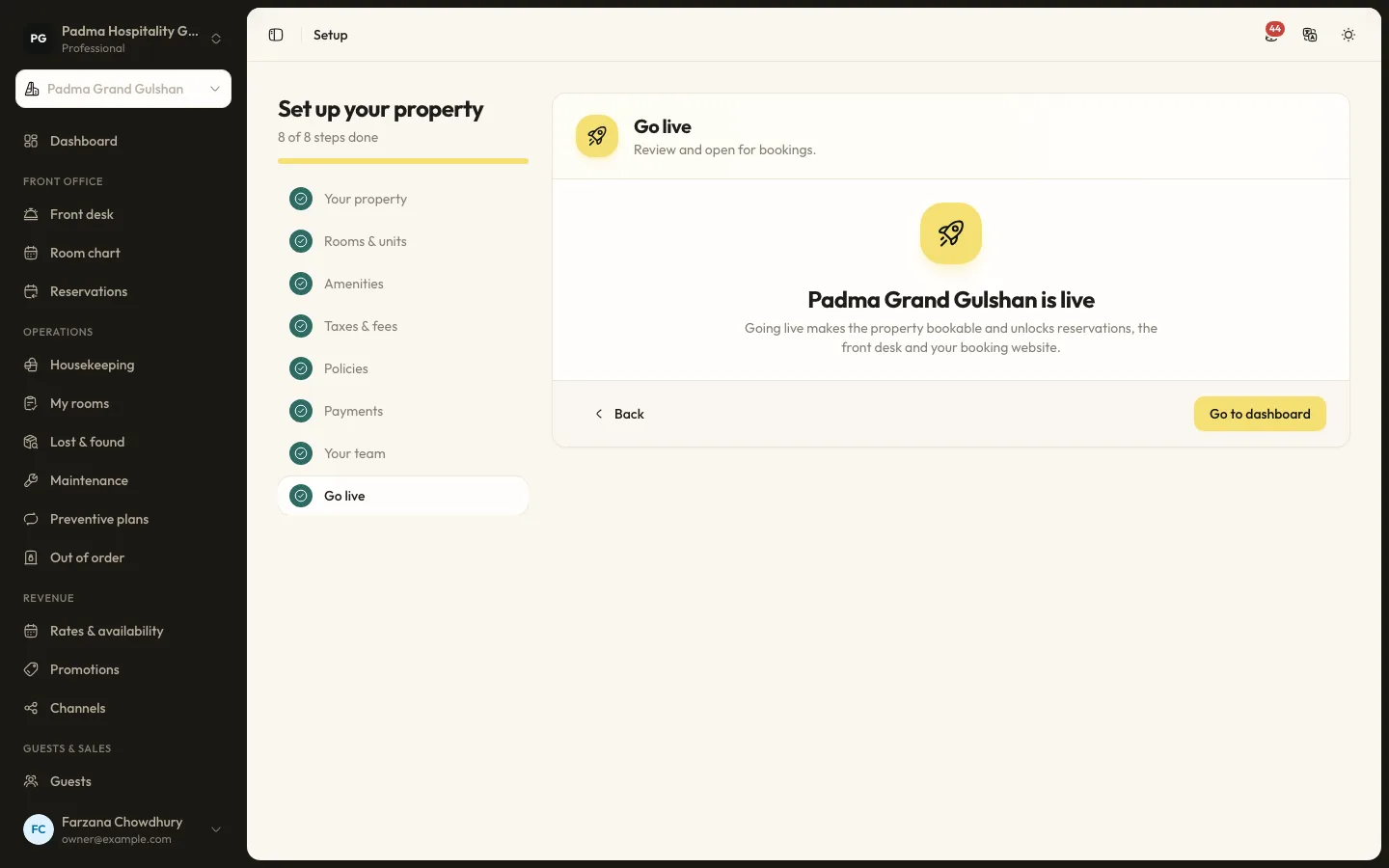
Product updates22 Sep 20265 min read
Moving from spreadsheets to a PMS in a week
Many properties still run on an Excel sheet, a booking register and a WhatsApp group. Moving to a PMS does not have to take months. Here is a realistic one-week plan.
Hotel operations15 Sep 20265 min read
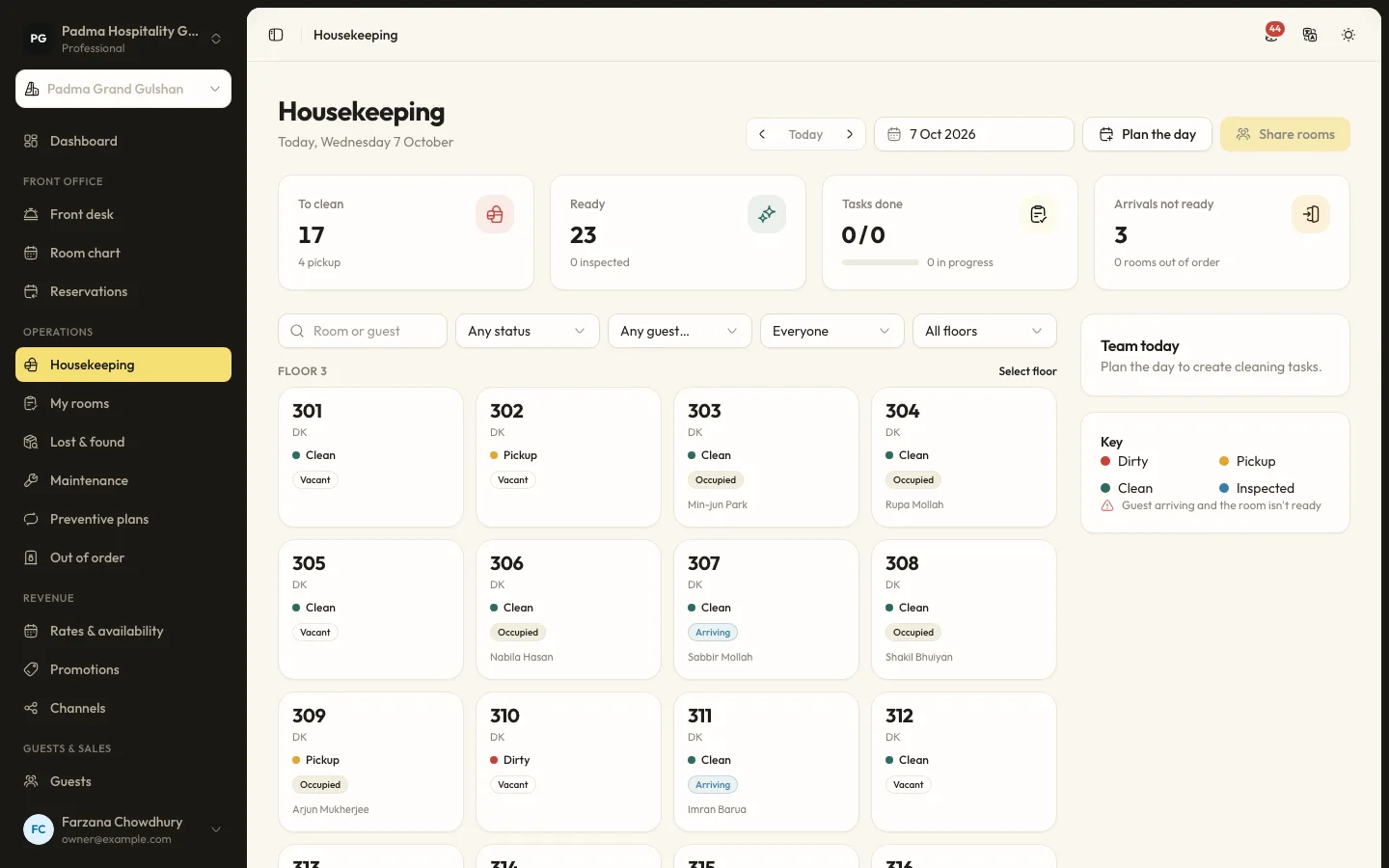
A housekeeping room status flow the front desk can trust
Most front desk delays come from not knowing which rooms are really ready. A clear room status flow, kept up to date from the housekeeper's phone, fixes that.
Revenue and distribution1 Sep 20265 min read
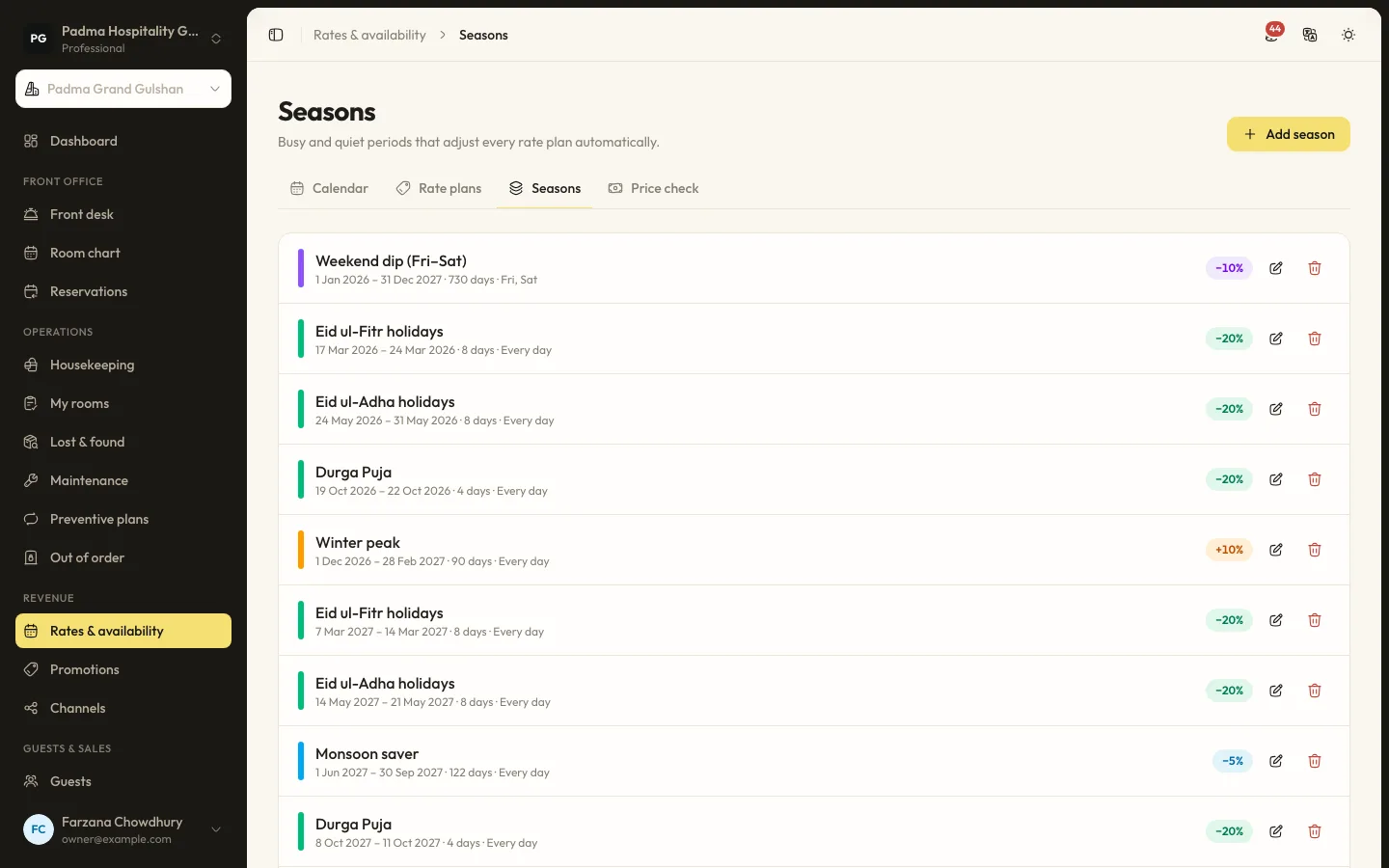
Rate seasons and restrictions for Cox's Bazar peak weekends
Peak weekends in Cox's Bazar sell out whatever you do. The question is whether they sell out at the right price and with the right length of stay. Here is how to set it up.
See it working with your own rooms.
A 30 minute call with someone who has run a front desk. Bring your questions and your room list.